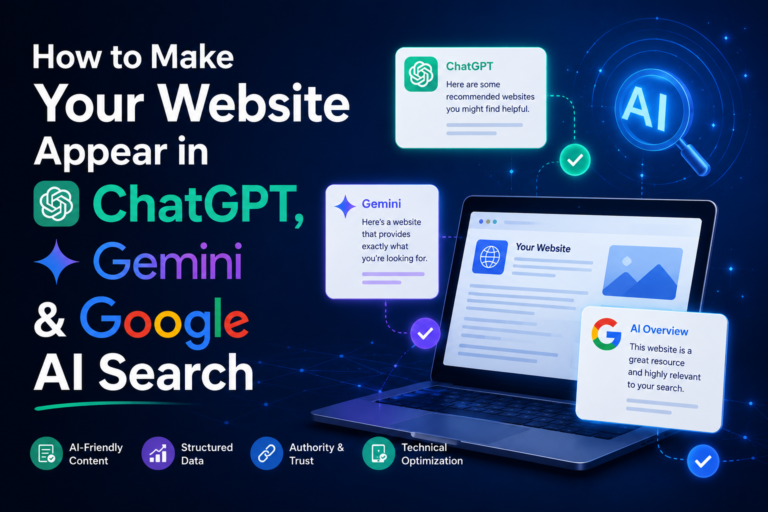
How to Make Your Website Appear in AI Search
Chatgpt, Gemini, Google AI Search
A few years ago, if someone wanted to find a good digital marketing course or a reliable web developer, they typed a few words into Google and clicked on a link. Today, many people just ask a question and get a full answer in seconds, without visiting a single website.
They ask ChatGPT for the best tools to grow a small business. They ask Gemini to compare two services. They see an AI summary at the top of Google before they see any blue links.
This raises a big question for every website owner: how do you make sure your website is the one these AI tools mention?
The good news is that you do not need magic or a huge budget. You need clear content, a solid website, and a little patience. In this guide, we will go through the steps in simple language, so you can start improving your site today.
Why AI Search Matters for Your Website?
AI search tools do not work like old search engines. A traditional search engine shows ten links and lets you choose. An AI tool reads many sources, puts the information together, and gives one answer, often with a few links or brand names attached.
That changes the game in two ways:
- Fewer people click through. If the AI answers the question fully, the user may never visit a website.
- Getting mentioned is the new ranking. If ChatGPT or Gemini names your brand or links to your page, you get trust and traffic that your competitors do not.
People who arrive from an AI answer are often further along in their decision. They have already read a short recommendation, so they tend to be more serious visitors. That makes showing up in these answers very valuable, even if the total number of clicks is smaller.
How AI Tools Choose Which Websites to Mention
Before you fix anything, it helps to know how these tools work. There are two main sources of information.
- What the model learned during training. Models like ChatGPT and Gemini learned from huge amounts of text. If websites across the web mention your brand often and clearly, the model may already know about you.
- What the tool finds live. Both ChatGPT and Gemini can search the web in real time. Google’s AI Overviews and AI Mode also pull fresh pages from Google’s own index. When a tool searches live, it picks pages that are easy to read, clearly written, trustworthy, and directly useful for the question.
So your goal is simple: make your content easy to find, easy to understand, and easy to trust. Every step below follows that idea.
Step 1: Answer Real Questions Clearly
AI tools are built to answer questions. If your page gives a clear answer, AI tools are far more likely to use it.
Think about what your customers actually ask. For example:
- “How much does SEO cost for a small business?”
- “What is the difference between Google Ads and Meta Ads?”
- “How long does it take to learn digital marketing?
Now write your content to match these questions:
- Use the question as a heading. A heading like “How long does it take to learn digital marketing?” is a perfect match for what a user types into ChatGPT or Gemini.
- Answer in the first two sentences. Give the short answer straight away, then explain in more detail below.
- Keep paragraphs short. Three or four lines is enough. Long blocks of text are hard for both people and AI to scan.
- Use simple lists and tables. When you compare things or list steps, a clean list is easier for AI to pull out and reuse.
Here is a small example. Instead of starting with a long story, write: “Learning digital marketing usually takes three to six months if you practice every week.
Here is a simple plan to follow.” Then go deeper. That first sentence is exactly the kind of clear line an AI tool likes to quote.
Step 2: Show That You Know Your Topic
Google has talked for years about E-E-A-T, which stands for Experience, Expertise, Authority, and Trustworthiness. AI search tools lean on the same idea, because they do not want to recommend a source that gives wrong advice.
Here is how to show these qualities on your site:
- Add real author names and short bios. Tell readers who wrote the article and why they are qualified to write it.
- Share real experience. Case studies, results from your own work, screenshots, and lessons learned all show that you have done the thing you are writing about.
- Be specific. “We increased leads by 40% in three months for a local clinic” is stronger than “we get great results.”
- Keep an About page and Contact page. Include your business name, address, phone number, and team details. It tells both people and machines that a real business stands behind the website.
- Cite sources when you use data. Link to reliable studies or official pages. It shows you care about accuracy.
Trust is the foundation. An AI tool that recommends a weak source looks bad, so these tools lean toward sites that look honest and well-run.
Step 3: Build Depth, Not Just Single Pages
One good blog post is nice. A group of connected posts on the same topic is much stronger.
Imagine you run a digital marketing website. Instead of writing one article about SEO, build a full cluster:
What is SEO?
How to do keyword research
On-page SEO checklist
Local SEO for small businesses
Common SEO mistakes
Then link these pages to each other. This shows search engines and AI tools that your site covers the subject completely. When a tool is looking for a trusted source on SEO, a site with deep coverage looks more reliable than a site with one lonely article.
A good rule is to pick your two or three main topics and become the best resource you can on those, rather than writing a little about everything.
Step 4: Get the Technical Basics Right
Great content is useless if AI tools cannot reach it. A few technical checks make a big difference.
- Let the right crawlers in. Open your robots.txt file (you can view it at yourwebsite.com/robots.txt). Make sure you are not blocking the bots that power AI search.
OpenAI uses crawlers such as OAI-SearchBot and GPTBot, and Google uses Googlebot for search and AI Overviews.
If your site blocks them by mistake, you are invisible to those tools. Some site owners choose to block certain bots on purpose, and that is fine, but make it a decision rather than an accident.
- Make your site fast and mobile-friendly. Slow pages and broken layouts hurt both users and crawlers.
- Use clean, simple page structure. One main heading (H1), followed by clear subheadings (H2 and H3), helps machines understand your page. Avoid hiding important text inside images, pop-ups, or heavy scripts, because crawlers may miss it.
- Submit a sitemap. A sitemap tells search engines which pages exist on your site. Submit it in Google Search Console, and consider Bing Webmaster Tools too, since some AI tools use Bing’s index to find web pages.
- Add structured data (schema markup). This is a small piece of code that tells machines what your content is.
For example, it can label a page as an article, an FAQ, a product, a local business, or a course. Schema does not guarantee that you appear in AI answers, but it removes guesswork and helps search systems read your page correctly.
FAQ, Article, Organization, and Local Business schema are good places to start.
Step 5: Make Your Brand Visible Beyond Your Website
Here is something many people miss: AI tools do not only look at your site. They also look at what the rest of the internet says about you.
If trusted websites, news articles, review platforms, and online communities mention your brand, AI tools see it as a sign that you are real and respected. So work on your presence outside your own pages:
- Get listed properly. Create and complete your Google Business Profile, and add your business to trusted directories in your industry and city.
- Collect reviews. Genuine reviews on Google and other platforms build trust signals.
- Publish guest articles. Writing for respected websites in your field puts your name in more places.
- Be active on platforms where people talk. Communities like Reddit, Quora, LinkedIn, and YouTube often appear in AI answers, because they contain real discussions and real opinions.
- Use the same business name everywhere. Keep your name, address, and description consistent across the web, so AI tools connect all the mentions to one brand.
Think of it like word of mouth. The more good things people say about you in more places, the more likely an AI tool is to repeat them.
Step 6: Keep Your Content Fresh
AI search tools that browse the web care about fresh, up-to-date information. An article from four years ago with old prices and outdated tips is less useful than one updated this month.
Make a habit of updating your best pages every few months:
- Fix outdated facts, tools, and screenshots.
- Add new questions your customers are asking.
- Show a “last updated” date on the page.
- Remove or merge weak pages that no longer help anyone.
Updating an old winner is often faster and more effective than writing a brand new post.
Step 7: Use Google AI Studio to Test Your Conten
Here is a practical tip most website owners overlook. Google AI Studio is a free tool from Google where you can try Gemini models directly. Google built it mainly for developers, but anyone can use it to test how an AI reads and understands their content.
Let us be clear: Google AI Studio does not rank your website, and it cannot make you appear in Gemini or Google Search. What it does is give you a safe place to run useful experiments. For example:
- Paste your article in and ask questions about it. Ask, “What is the main answer this page gives?” or “Who is this page written for?” If
- Gemini gives a confusing or wrong summary, your writing may be unclear.
- Ask it to find gaps. Try a prompt like, “What questions would a beginner still have after reading this page?” Then add those answers to your content.
- Compare with competitors. Paste a top-ranking page and your own page, and ask Gemini which one answers the topic more clearly and why.
- Generate FAQ ideas. Ask for ten questions people might ask about your topic, then choose the best ones for an FAQ section.
- Check your schema. Ask it to review your structured data code for simple mistakes.
You can run the same tests in ChatGPT too. Ask ChatGPT and Gemini questions your customers would ask, such as “best digital marketing institute in Lucknow” or “how to choose an SEO agency.” Note which brands and pages they mention, and study what those pages do well. This is simple market research, and it shows you exactly where you stand.
Common Mistakes to Avoid
Many websites lose out because of easy-to-fix problems:
- Writing for machines only. Stuffing keywords or writing robotic text makes your content worse for humans, and AI tools can spot low-quality writing.
- Copying content. AI tools prefer original ideas and real experience. Rewriting what everyone else says gives them no reason to pick you.
- Hiding your expertise. If your site does not show who you are and what you have done, trust is weak.
- Ignoring the basics. A slow, broken, or confusing website cannot win, no matter how good the content is.
- Expecting instant results. You build AI visibility over months, not days.
A Quick Checklist
Use this list to review your website:
- Do your pages answer real customer questions in the first few lines?
- Do your articles show an author, a date, and real experience?
- Do you have several connected pages on your main topics?
- Are AI and search crawlers allowed in your robots.txt file?
- Is your site fast, mobile-friendly, and well organized?
- Have you added schema markup to key pages?
- Is your brand listed and reviewed on trusted platforms?
- Are your best pages updated regularly?
- Have you tested your content in Google AI Studio, Gemini, and ChatGPT?
If you can tick most of these boxes, you are already ahead of most websites.
Final Thoughts
Showing up in ChatGPT, Gemini, and Google AI search is not about tricks. No secret button forces an AI tool to mention you. What works is what has always worked online: be useful, be clear, and be trustworthy.
Answer real questions in plain language. Show your experience. Keep your website technical basics healthy. Build your reputation across the web.
Then use tools like Google AI Studio to test, improve, and repeat.
The way people search is changing quickly, but the websites that win will be the ones that genuinely help their readers. Start with one page today. Rewrite it so it answers a question clearly, add an author bio, update the facts, and test it in Gemini. Small steps, repeated over time, are what turn a regular website into a source that AI tools trust and recommend.